Wallet Management
tip
Create wallets, deposit/withdraw funds, and assign users (market maker) to wallets.
All Wallets
Lists all connected wallets.
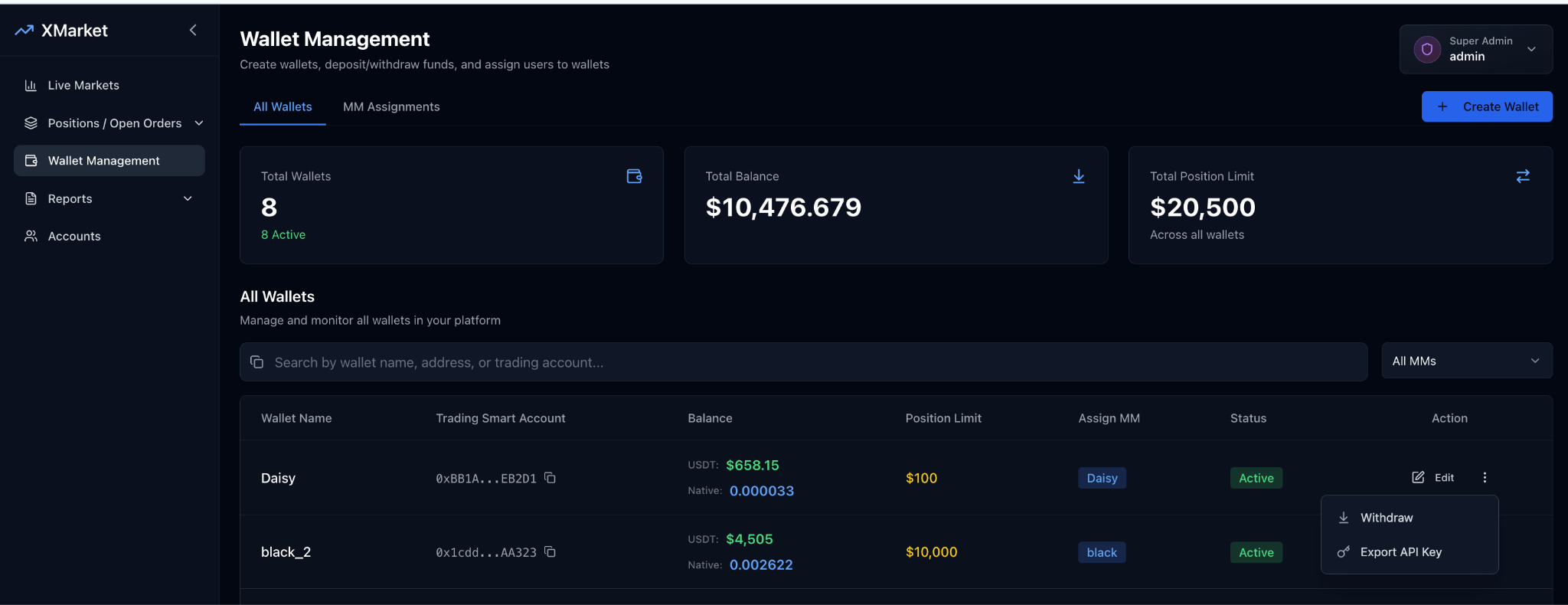
| # | Field | Description |
|---|---|---|
| 1 | Total Wallets | Displays the total number of wallets on the platform. |
| 2 | Total Balance | Shows the combined balance across all wallets (USDT and native tokens). |
| 3 | Total Position Limit | Displays the total combined position limits across all wallets. |
| 4 | Create Wallet | Opens the wallet creation form to add a new trading wallet. |
| 5 | Search | Search wallets by name, wallet address, or trading account. |
| 6 | MM Filter | Filter wallets by assigned Market Maker using the "All MMs" dropdown. |
| 7 | Wallet Name | Name of the wallet. |
| 8 | Trading Smart Account | Smart contract wallet address used for trading. |
| 9 | Balance | Current wallet balances (USDT and native token). |
| 10 | Position Limit | Maximum allowed exposure for the wallet. |
| 11 | Assign MM | Market Maker user assigned to the wallet. |
| 12 | Status | Wallet status (Active or Inactive). |
| 13 | Action | Available wallet actions (Edit, Withdraw funds, Export API key). |
Create Wallet
Create a new wallet account
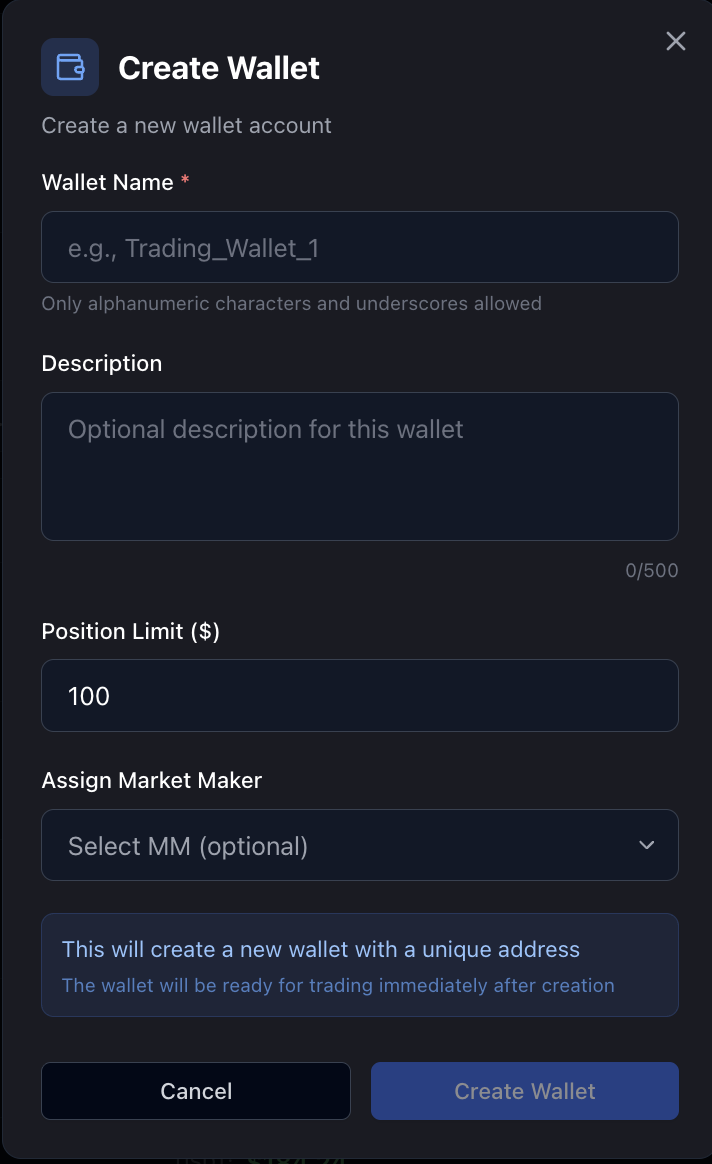
| # | Fields | Description |
|---|---|---|
| 1 | Wallet Name* | Required wallet name. Supports alphanumeric characters and underscores only. |
| 2 | Description | Optional wallet description (up to 500 characters). |
| 3 | Position Limit ($) | Sets the maximum exposure allowed for this wallet to limit risk. |
| 4 | Assign Market Maker | Optional dropdown to assign a Market Maker (MM) user to the wallet. |
| 5 | Info Notice | Confirms the wallet will be created with a unique smart contract address and will be ready for trading immediately. |
Edit wallet
Update wallet details (Name, Position Limits, Assign Market Maker).
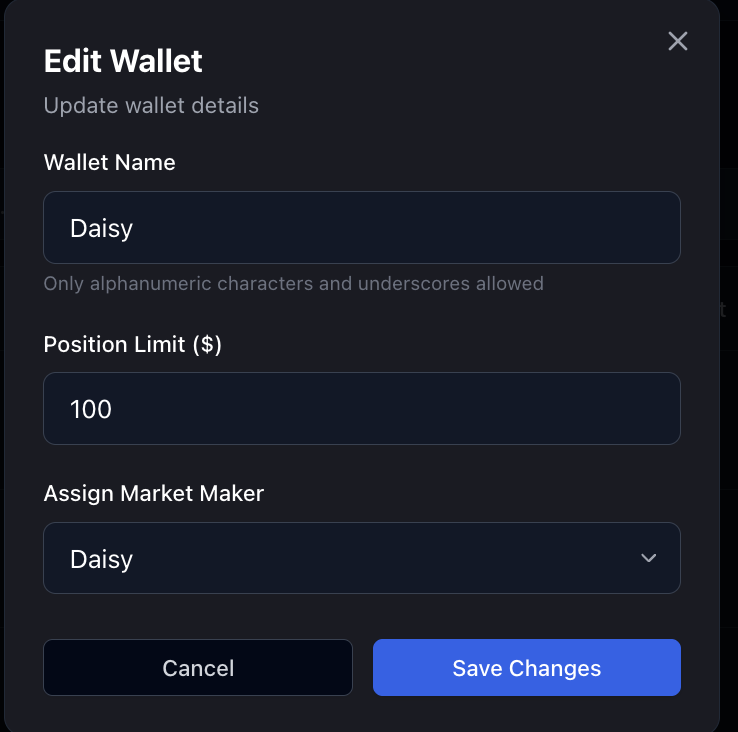
Withdraw funds
Transfer funds from your wallet.
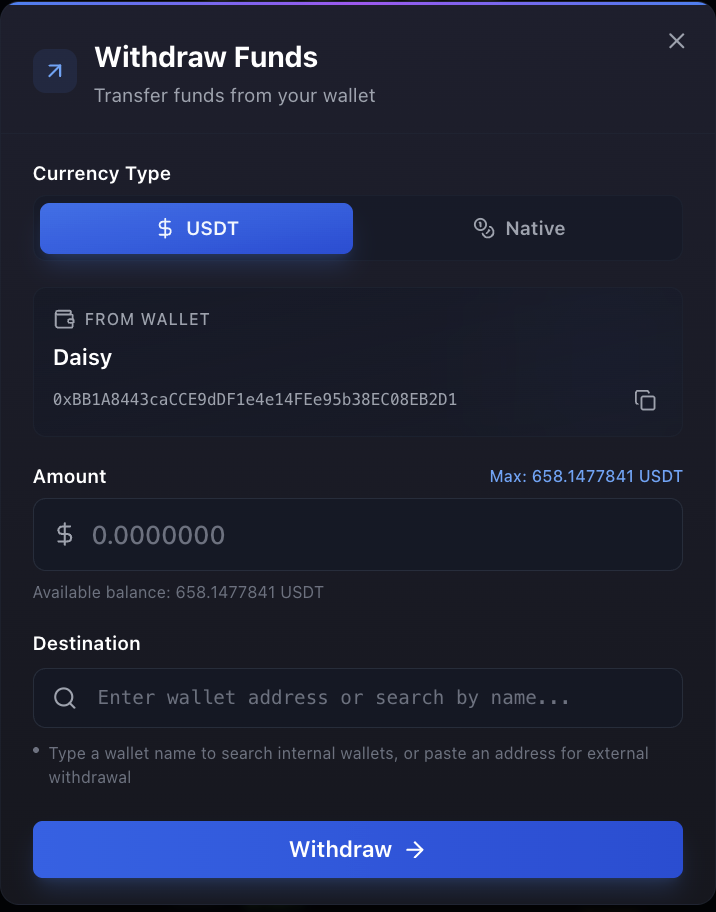
| # | Fields | Description |
|---|---|---|
| 1 | Currency Type | Select withdrawal currency (USDT or native token). |
| 2 | From Wallet | Displays source wallet name and address. |
| 3 | Amount | Enter withdrawal amount. Shows maximum withdrawable amount and available balance. |
| 4 | Destination | Enter destination wallet address or search by wallet name. Supports internal and external transfers. |
| 5 | Withdraw | Submit the withdrawal request. |
Export API Key
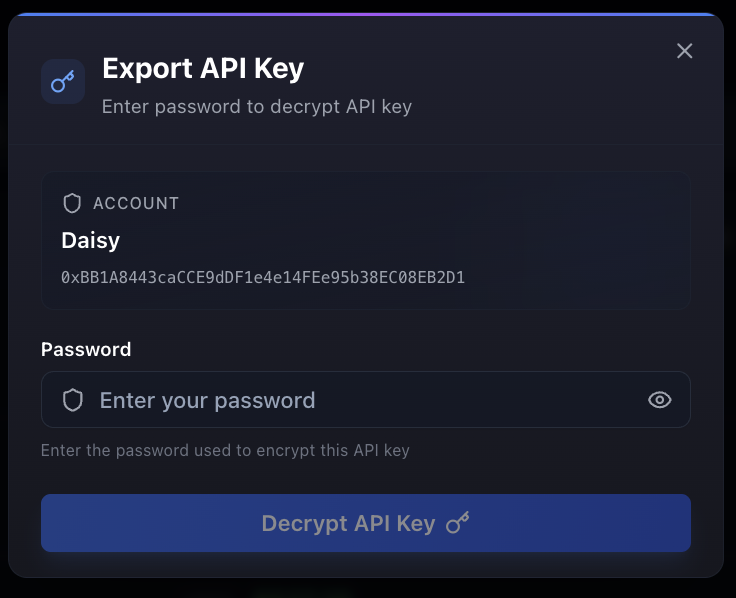
| # | Fields | Description |
|---|---|---|
| 1 | Account Information | Displays wallet/account name and associated wallet address. |
| 2 | Password Input | Enter the password used to encrypt the API key. |
| 3 | Show/Hide Password | Toggle to show or hide the password input. |
| 4 | Decrypt API Key | Decrypt and export the API key after password verification. |
MM Assignments
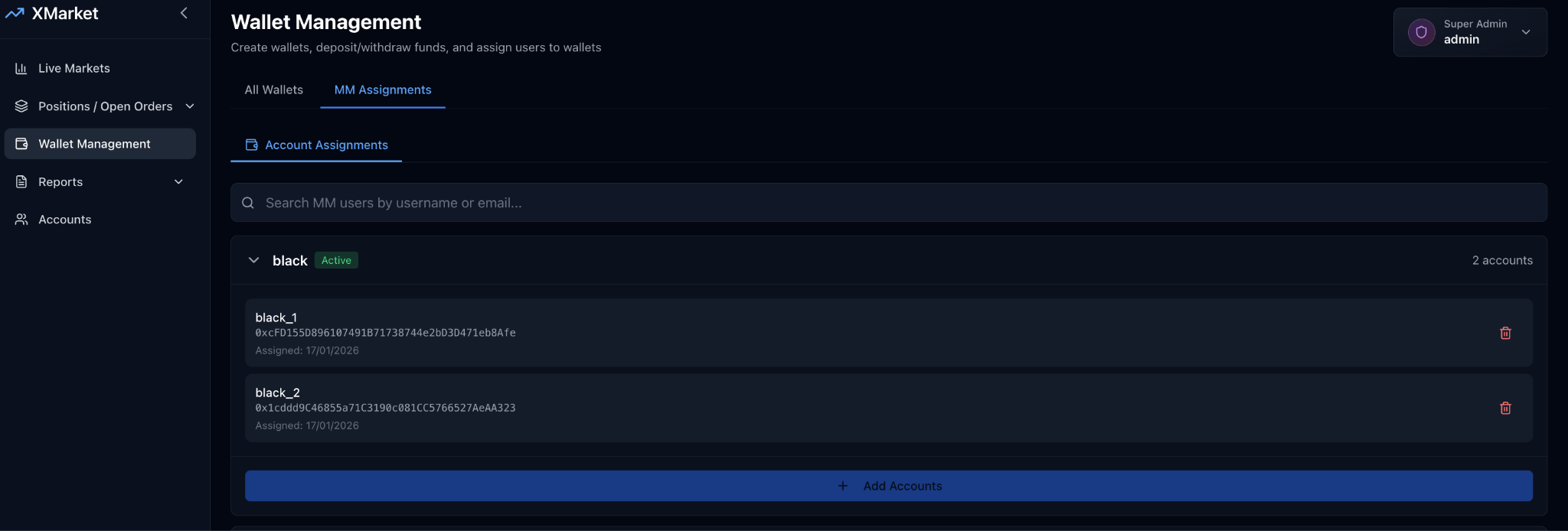
| # | Fields | Description |
|---|---|---|
| 1 | Search | Search MM users by username or email. |
| 2 | MM User List | Displays a list of Market Maker users and their assigned accounts: MM User Name, Status Badge, Number of Assigned Accounts, Account Name(s), Wallet Address, Assigned Date, and Remove Action. |
| 3 | Add Accounts | Assign new trading accounts to the selected MM user. |